 eCAM · by ToffnLab
PCB CAM data prep in one tool
Drop in a zip archive and layer order, names and stack-up are set automatically. Silkscreen, annular ring and etch compensation run in a single pass, cutting repetitive work and manual errors.
- RS-274X in/out · 274D in
- 274D is recognized automatically once an aperture list is linked
- ODB++
- Import and export (tgz) — import covers features, stack-up, drill and profile
- One click
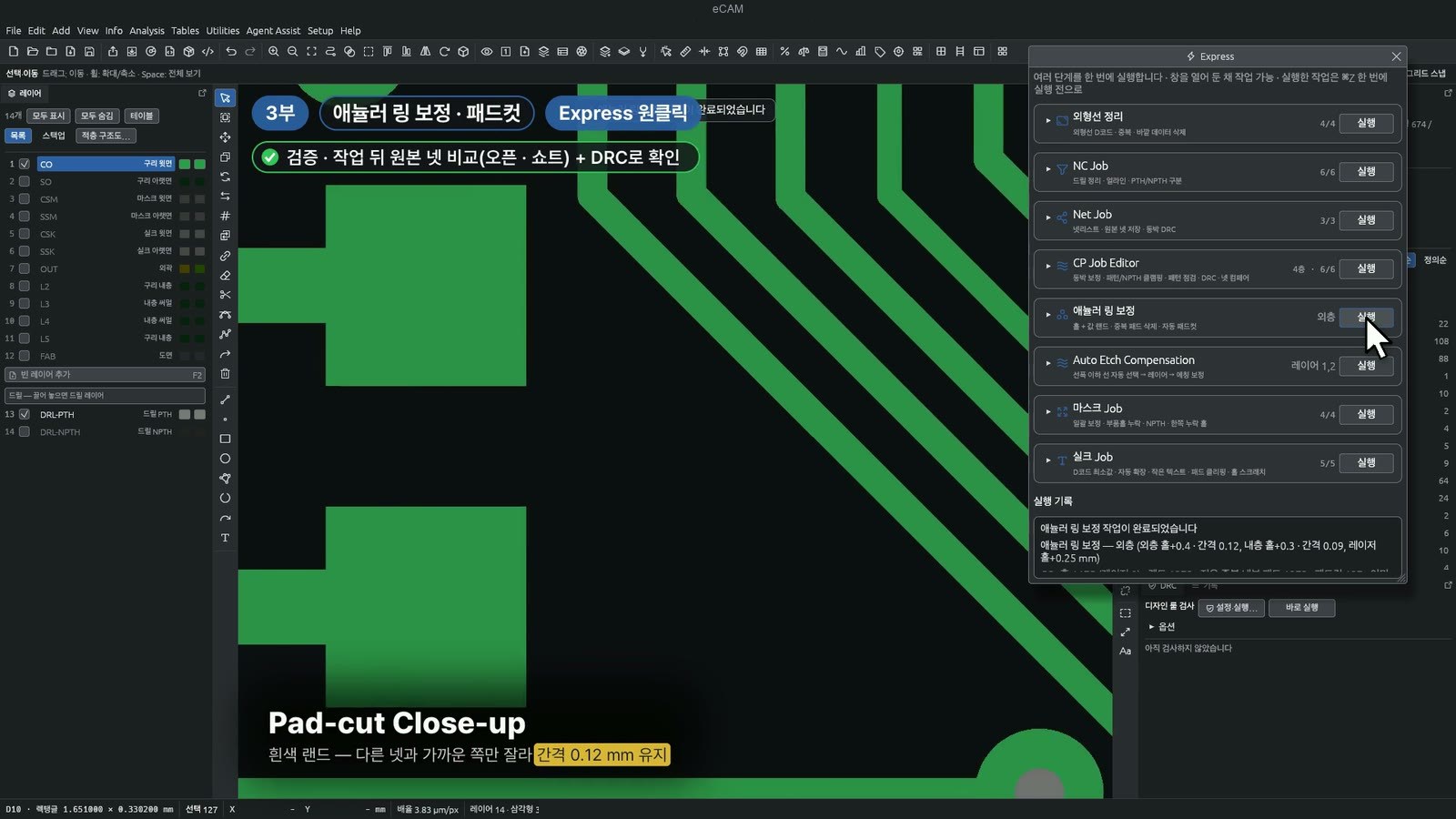
- Run multiple compensations in one batch from Agent Assist ▸ Express
- Offline
- Fab drawing text recognition also runs on the PC, with no upload (macOS only · Windows in preparation)
From data intake to output, in one window
- 01
Import
Drag and drop a zip — formats, drill pairing and layer names detected automatically
- 02
Spec review
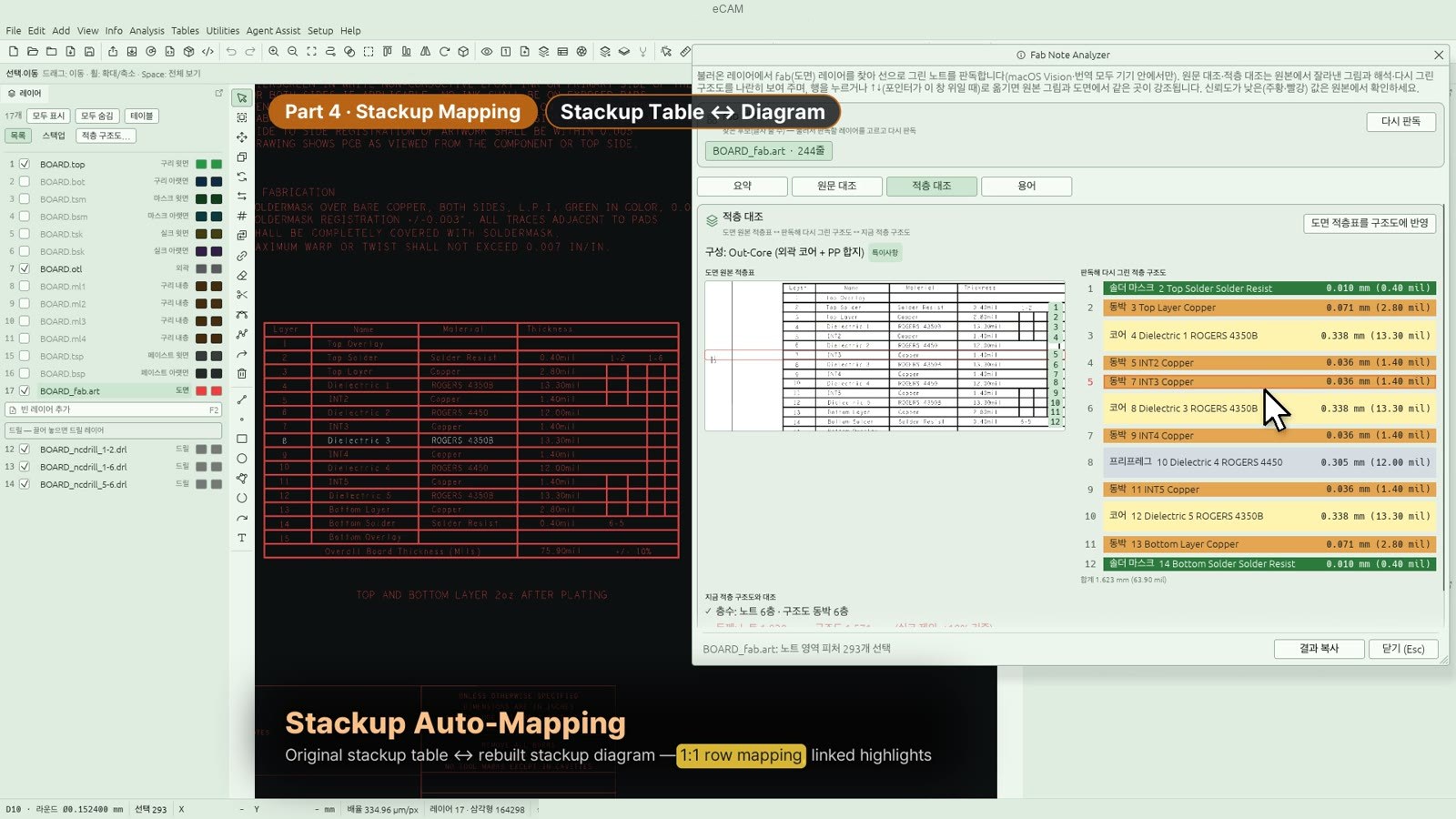
Read and translate fab notes; apply the drawing's stack-up table to the stack-up diagram
- 03
Compensate
Silkscreen, annular ring, pad cut, etch compensation
- 04
Verify
Netlist comparison against the original (opens/shorts) and DRC
- 05
Array & output
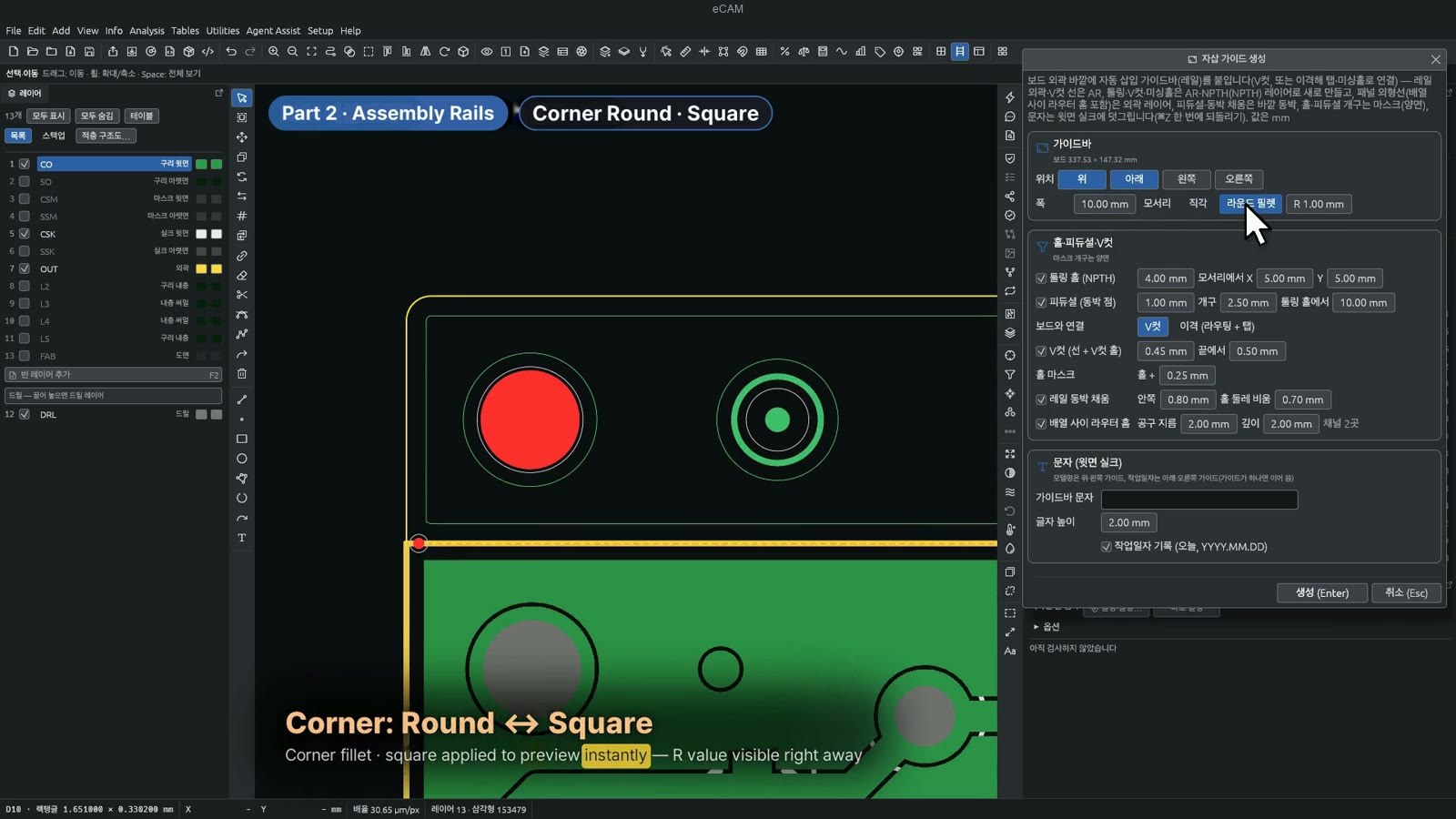
Build the array and auto-insertion guide rails; output Gerber, Excellon and ODB++
eCAM · eCAM+ · eCAM Agent
Choose eCAM for core CAM work, or eCAM+ if you need dynamic etch compensation and AEC.
eCAM
The full CAM data preparation process
- Gerber (RS-274X in/out · RS-274D in), Excellon, ODB++, automatic zip import
- Fab Note Analyzer — drawing text recognition (macOS only · Windows in preparation), translation, stack-up cross-check
- Silkscreen text scaling, silkscreen outline expansion, silkscreen clipping at pads
- Annular ring compensation, pad cut
- Netlist comparison, DRC, clearance correction
- Array, auto-insertion guide rails, panelization
- Express Job batch processing
eCAM+
All of eCAM + dynamic etch compensation and AEC
- All standard eCAM features
- Dynamic etch compensation — compensates line width while keeping spacing to neighbors (selected lines only, if needed)
- Express automatic etch compensation (AEC) card
eCAM Agent
Currently in closed beta
- Spec review and work-instruction assistance, being validated with selected customers
- Built on eCAM+ features
| Feature | eCAM | eCAM+ | Agent |
|---|---|---|---|
| Gerber RS-274X in/out · RS-274D in · Excellon · ODB++ | ● | ● | ● |
| Automatic zip import · automatic layer naming and ordering | ● | ● | ● |
| Fab Note Analyzer (text recognition, translation, stack-up cross-check — recognition is macOS only) | ● | ● | ● |
| Silkscreen edits (scaling, expansion, clipping) | ● | ● | ● |
| Annular ring compensation · pad cut | ● | ● | ● |
| Netlist comparison · DRC | ● | ● | ● |
| Array · auto-insertion guide rails · panelization | ● | ● | ● |
| Express Job batch processing | ● | ● | ● |
| Dynamic etch compensation · automatic etch compensation (AEC) | — | ● | ● |
| Spec review and work-instruction assistance (in closed beta) | — | — | Closed beta |
Overseas HQ engineers and Vietnam site staff, talking face to face at one monitor
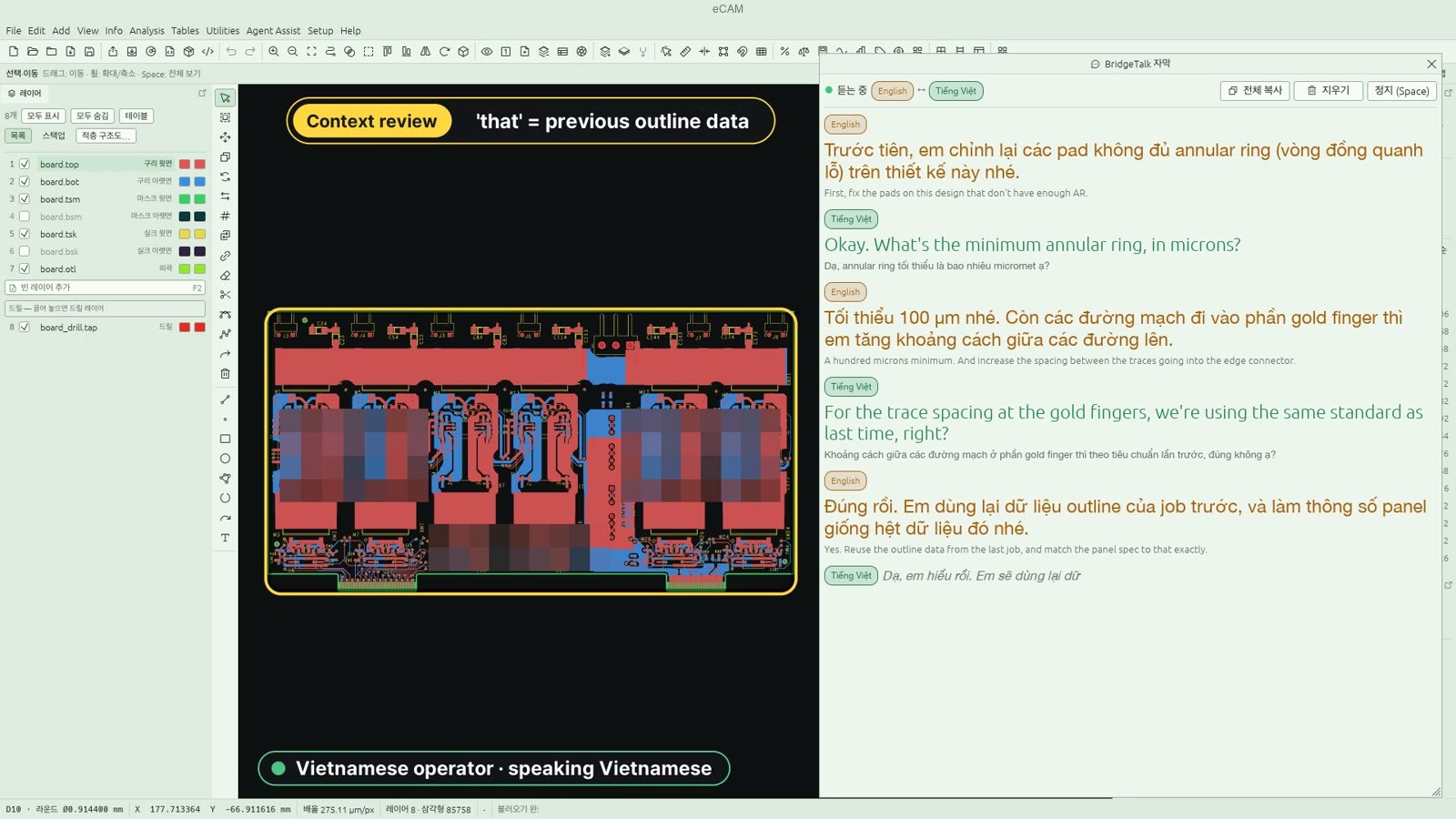
Engineers from the overseas head office and local engineers at the Vietnam plant look at the same screen to hand over specs, review CAM data and give work instructions. What each person says appears right away as subtitles in the other's language — English ↔ Vietnamese, with Korean ↔ Vietnamese also supported — so the discussion can continue without calling in an interpreter. BridgeTalk is used in front of one shared monitor; it does not include remote meeting connections.
Xem thông số kỹ thuật và dữ liệu CAM trên cùng một màn hình, trao đổi trực tiếp với kỹ sư từ trụ sở chính ở nước ngoài qua phụ đề dịch Anh–Việt theo thời gian thực.View technical specs and CAM data together on one screen and talk directly with engineers from the overseas head office through real-time English–Vietnamese subtitles.
BridgeTalk của eCAM hỗ trợ trao đổi trực tiếp trước cùng một màn hình bằng chế độ nghe: lời nói được dịch thành phụ đề bằng ngôn ngữ của người đối thoại, không phát giọng đọc và không kết nối họp từ xa. Cặp ngôn ngữ mặc định là Hàn–Việt; người dùng có thể chọn hai trong bốn ngôn ngữ: Hàn, Anh, Nhật và Việt. Với bảng thuật ngữ PCB/FPCB tích hợp và khả năng tham chiếu các câu trước trong cùng cuộc hội thoại khi dịch, BridgeTalk hỗ trợ kỹ sư trao đổi thông số kỹ thuật, rà soát dữ liệu CAM và truyền đạt hướng dẫn công việc khi cùng xem một màn hình. Dịch vụ yêu cầu kết nối Internet và sử dụng theo hình thức thuê bao; vui lòng liên hệ để nhận báo giá.
- Real-time English ↔ Vietnamese subtitles
- When one person speaks, subtitles in the other language appear on screen. English ↔ Vietnamese and Korean ↔ Vietnamese are both supported; any two of English, Korean, Japanese and Vietnamese can be selected. Listening mode is designed for people sharing one monitor; there is no voice output.
- Built-in PCB/FPCB glossary
- Shop-floor terms such as annular ring and gold finger are rendered as proper CAM terminology, and earlier sentences in the same conversation are used as reference.
- Conversation context
- Follows the earlier conversation, so phrases like “that one” or “the spec from last time” are translated in context.

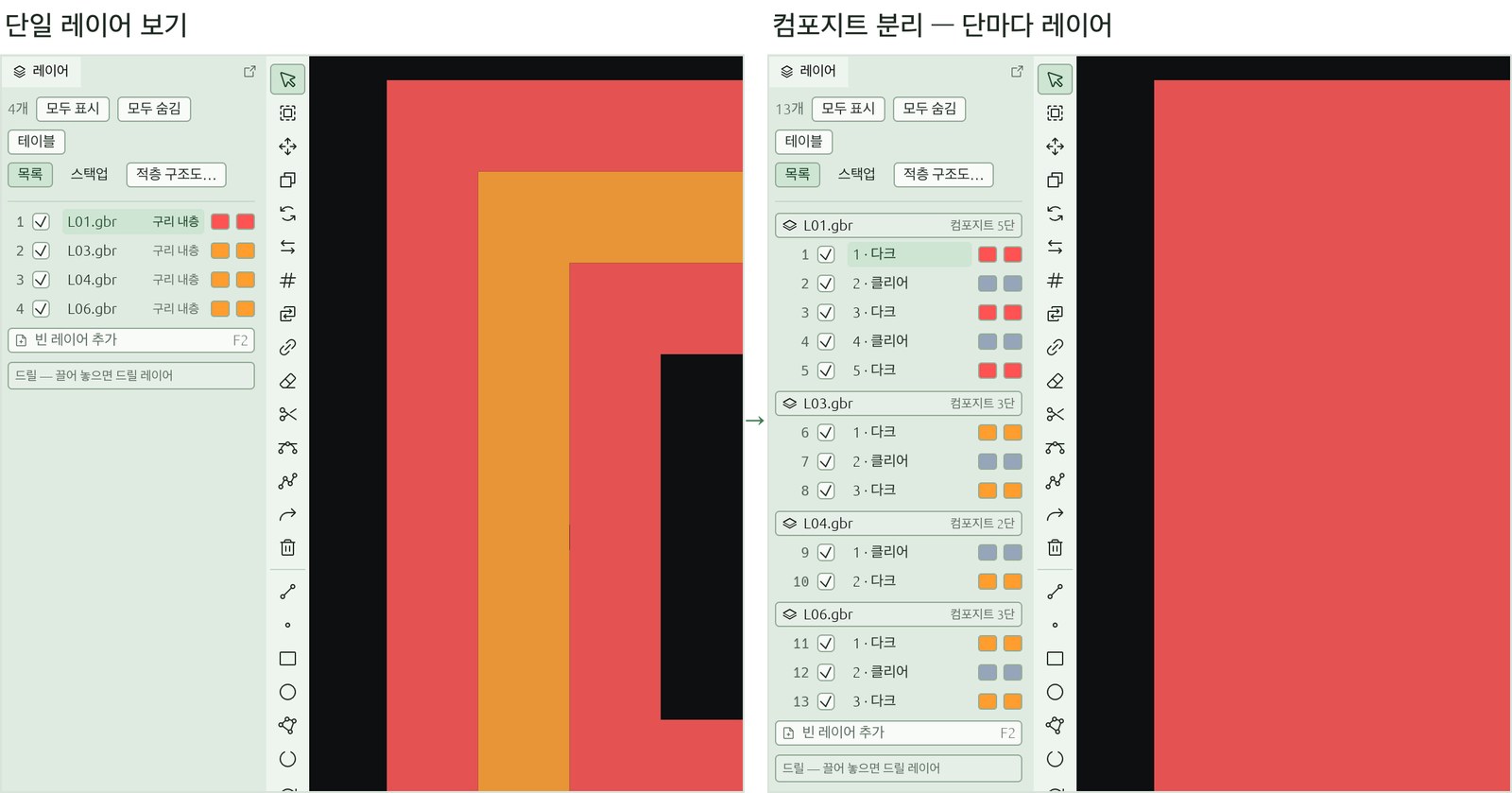
As one layer, or split by polarity level
Layers that mix dark and clear polarity can be handled two ways in the same program. Work on them as a single layer, and split them by level only when you need to check.
- Negative apertures · polarity levels (LPD/LPC) preserved
- Dark and clear polarity levels in the Gerber are read in order and displayed exactly as plotted, and keep their polarity order on Gerber export. Apertures can be set to negative (clear), and selected data can be converted to a negative aperture of the same shape.
- Work as one layer, split when needed
- A mixed-polarity layer is treated as one layer for editing and checking. Turn on composite split view to see each level as its own layer, then merge them again from the layer list.
- Composite build · compress
- Layers with paired names (X + X-NE) are combined into one target layer, and the number of dark/clear levels is reduced without changing the image.
Key features and results
All screens were captured with sample data. Click an image to enlarge it.

 BeforeAfter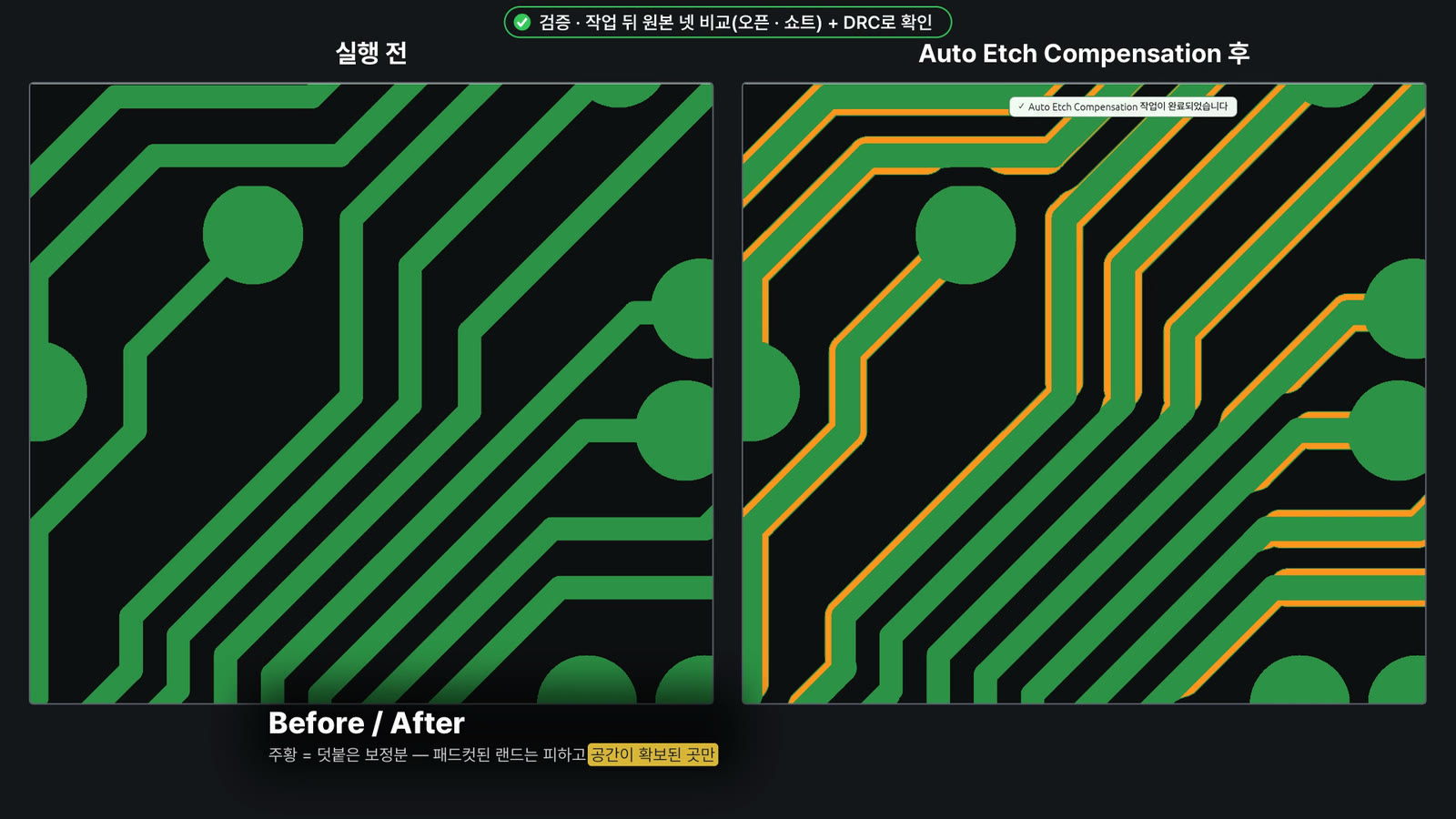
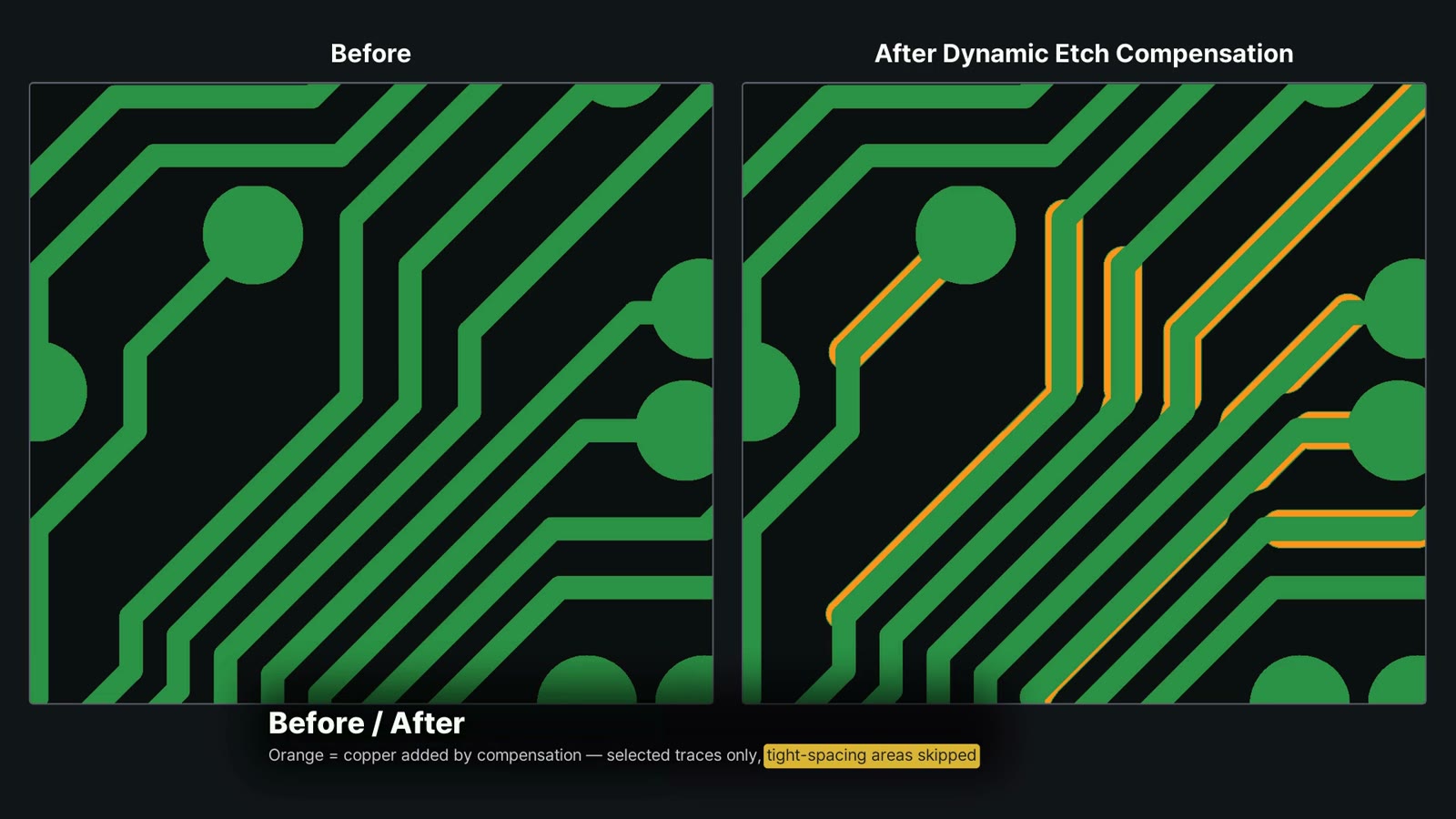
Dynamic etch compensation
Compensates traces at or below a specified width, and skips segments where minimum spacing to adjacent traces would not be met.
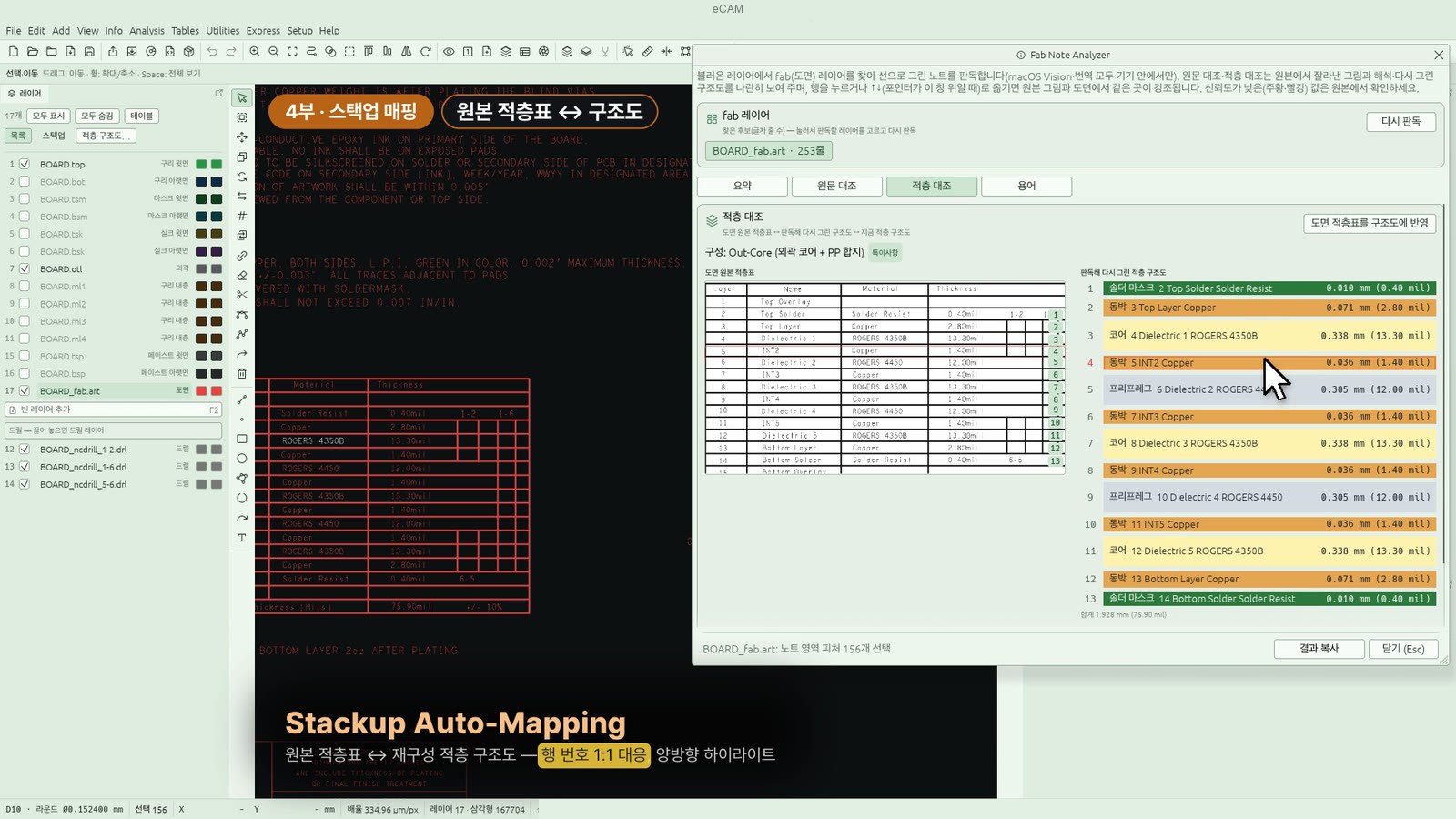
Fab Note Analyzer
Reads stroked text on the drawing layer, then organizes and translates the specs and matches the drawing's stack-up table against the stack-up diagram and data layers. Reading is macOS only (Windows in preparation). Translation is English → Korean and requires the on-device language pack (without it, coverage is limited to the standard-phrase dictionary).
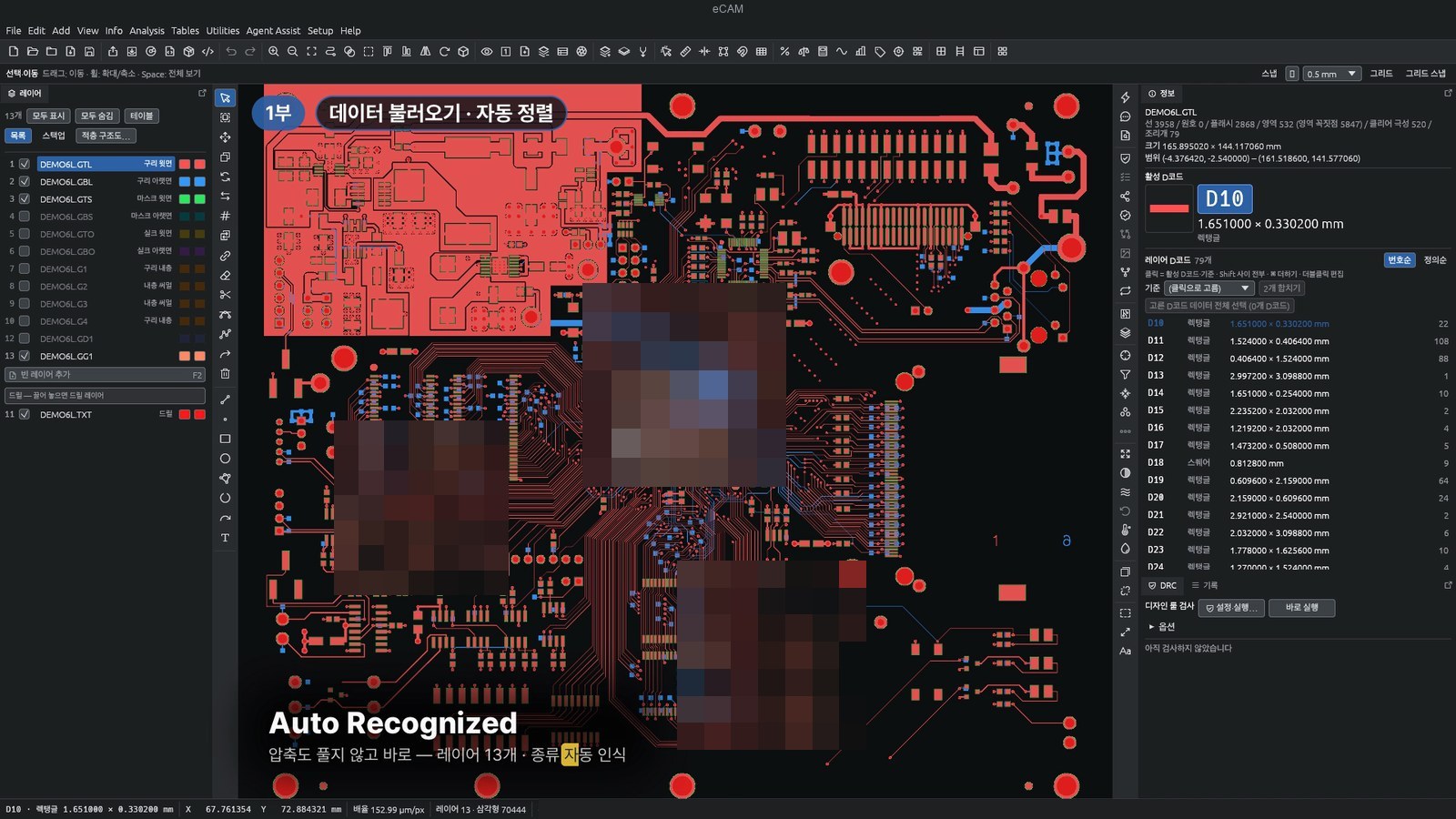
ZIP import · automatic layer ordering
Opens the zip as is, with no need to extract it. Detects Gerber and drill formats and aligns the drill data to the Gerber.
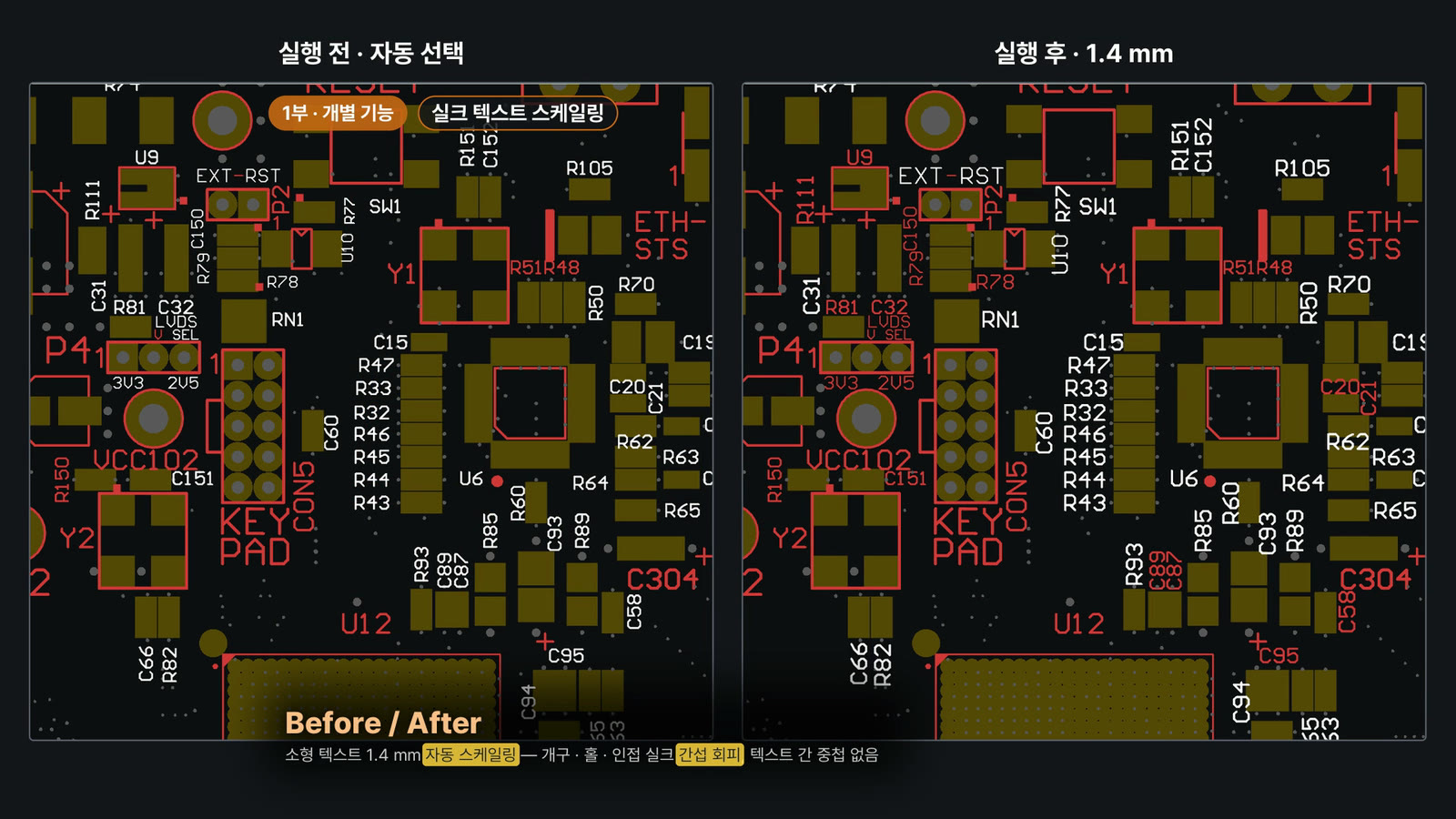
Silkscreen text scaling
Finds stroked silkscreen text character by character and resizes it to a specified height in one batch while avoiding clearance violations.
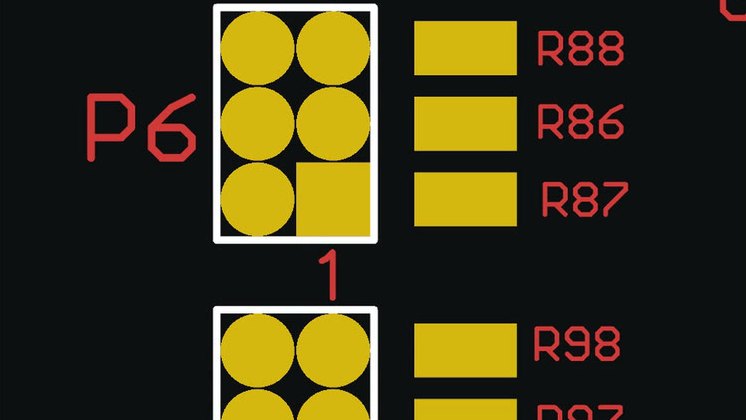
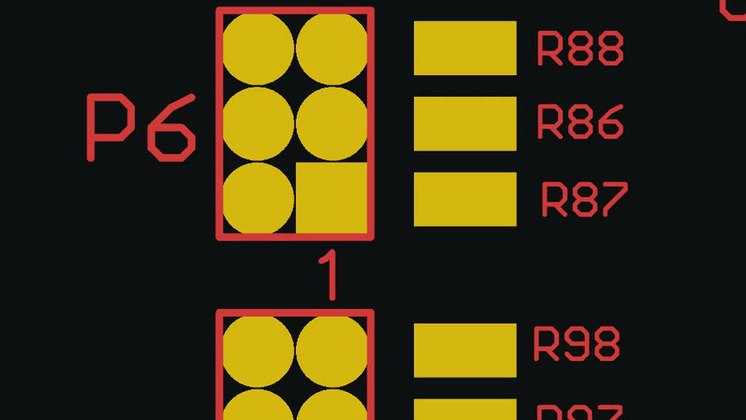 BeforeAfter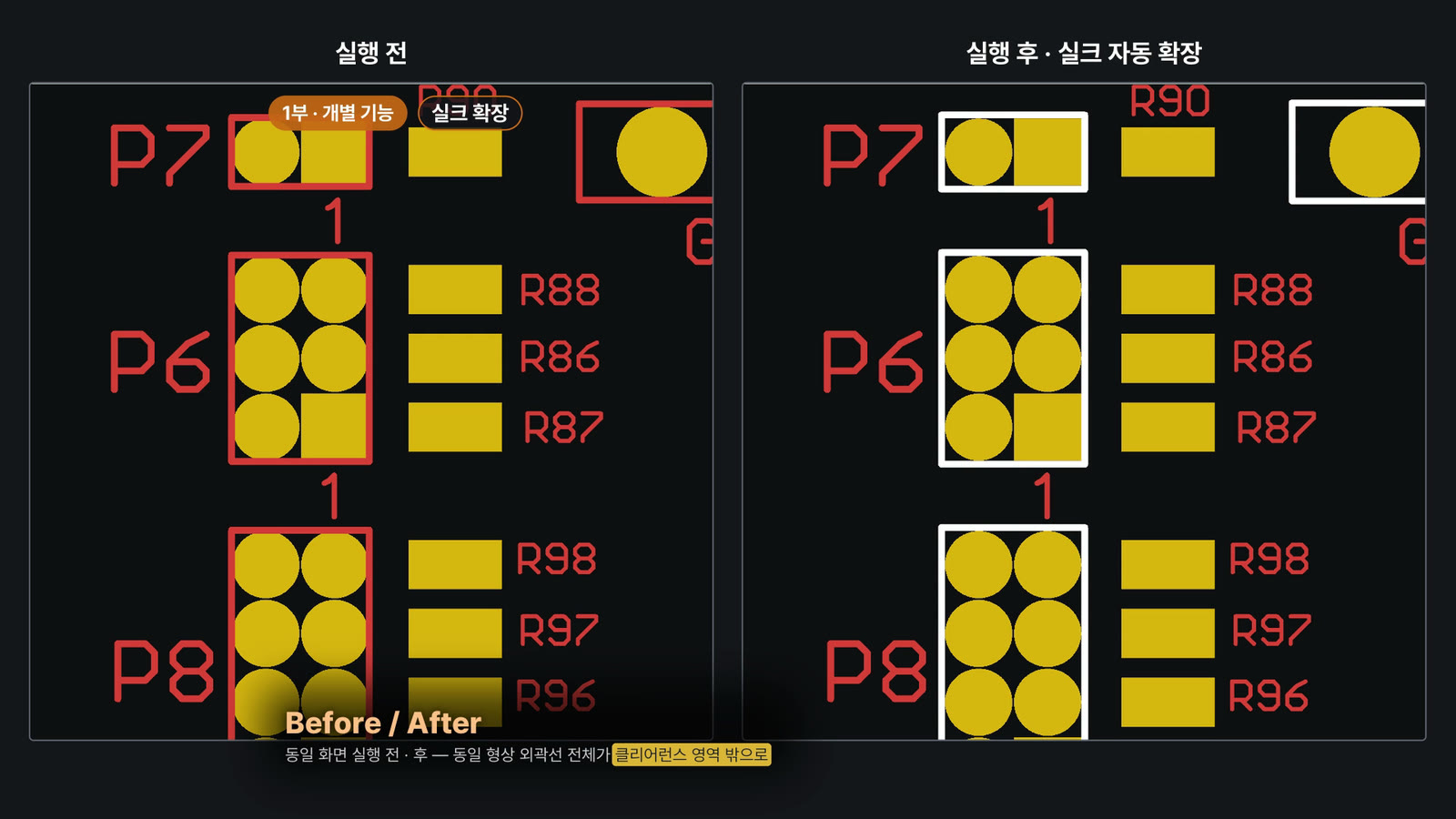
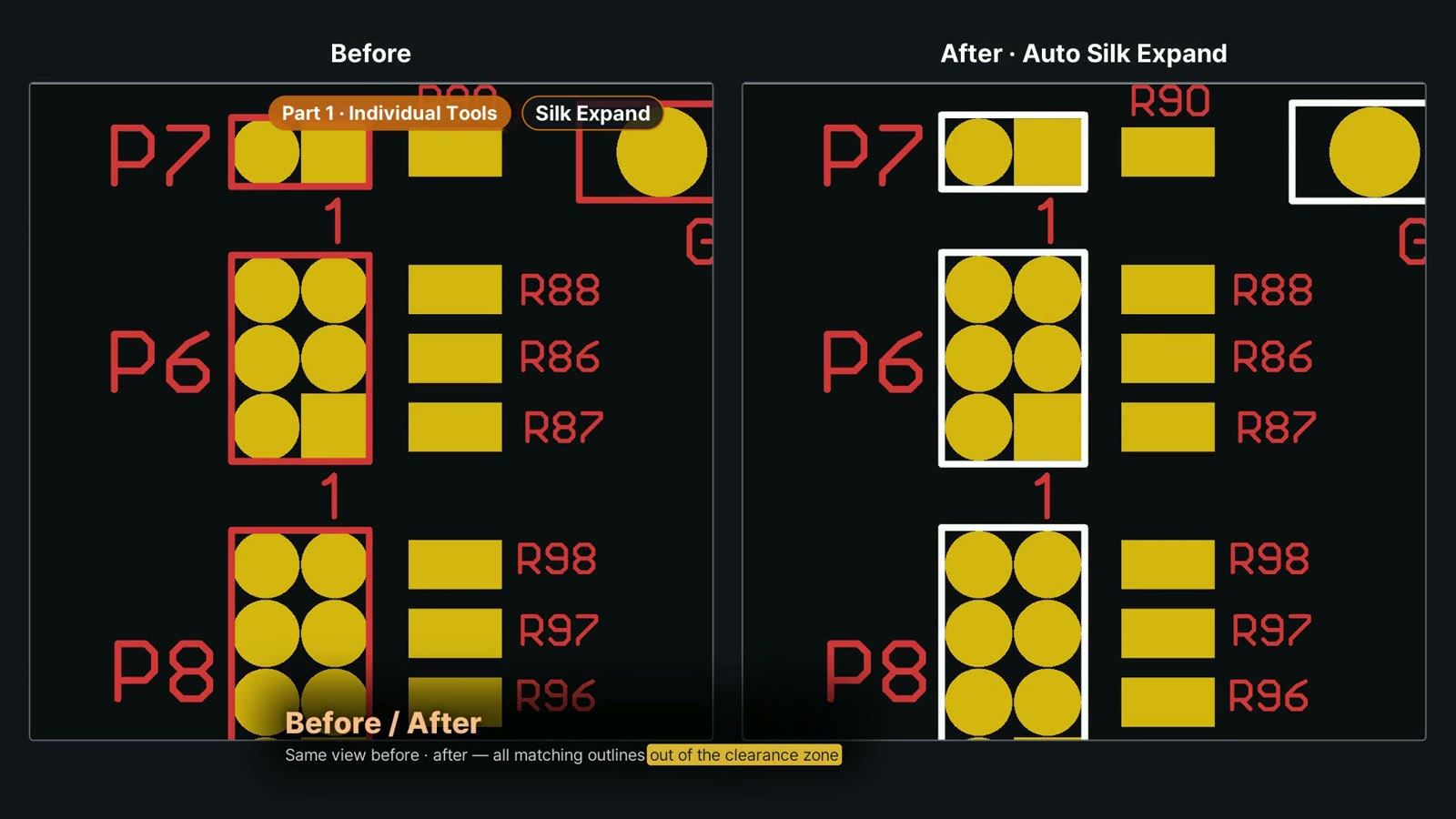
Automatic silkscreen outline expansion
Expands, moves or shrinks identical component outlines in one step to secure clearance to pads.
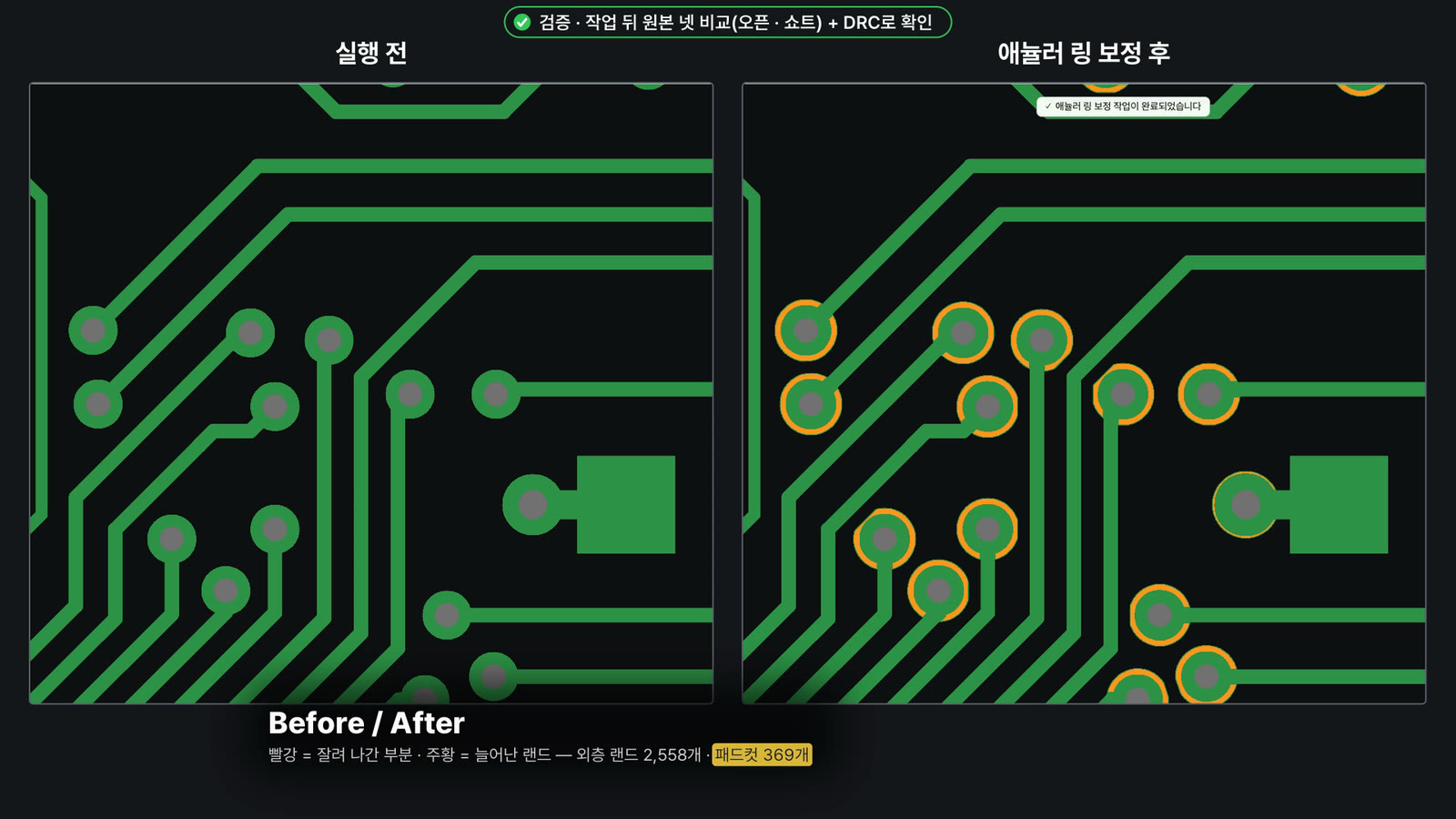
Annular ring compensation · pad cut
Enlarges pads around the holes and applies a pad cut where clearance to adjacent features is insufficient. Results are then checked by comparing the netlist against the original and running DRC.
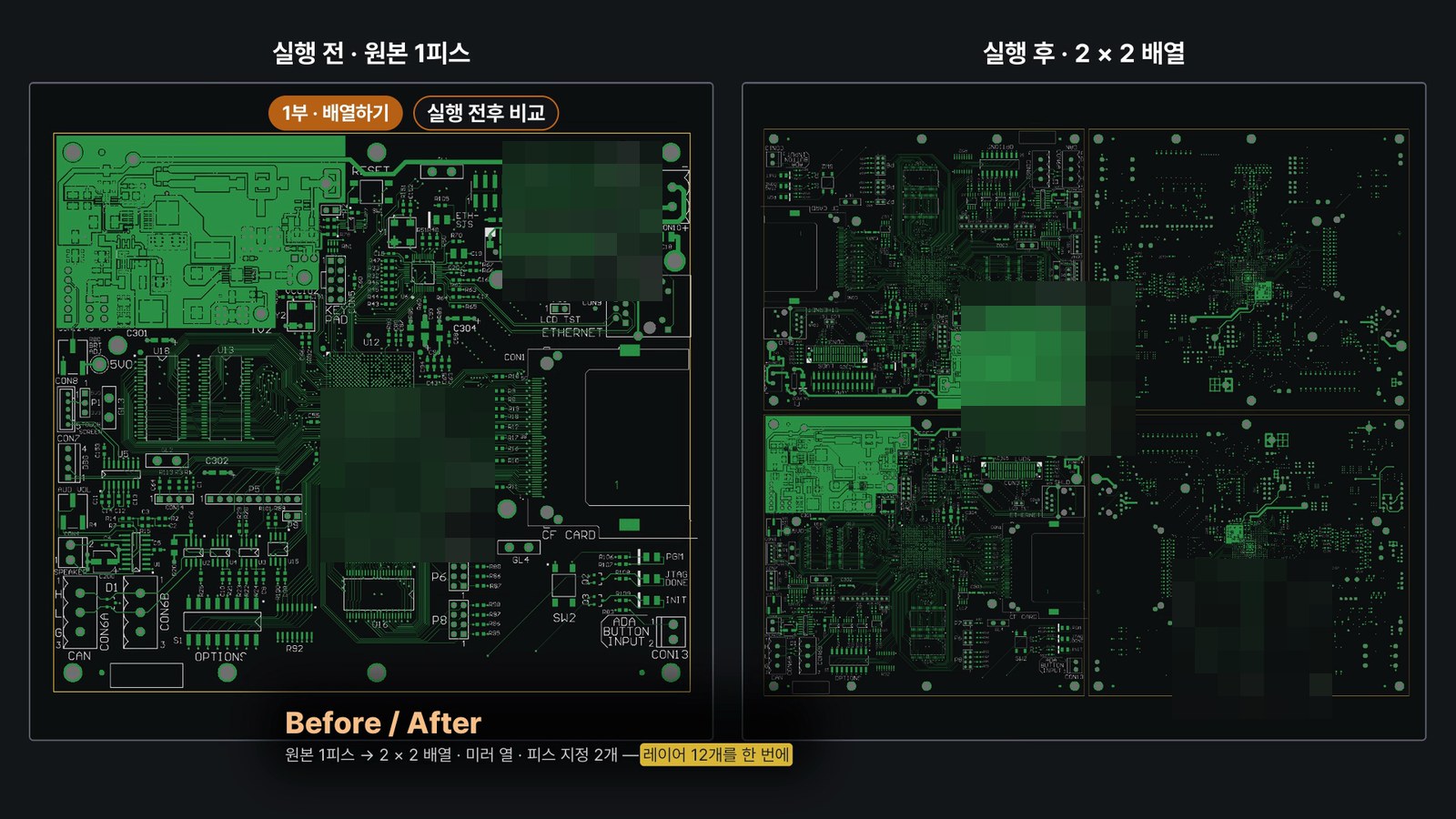
Live array preview
Change rows, columns, direction, rotation and mirroring and see the result immediately. Rotate or mirror individual pieces with a click.
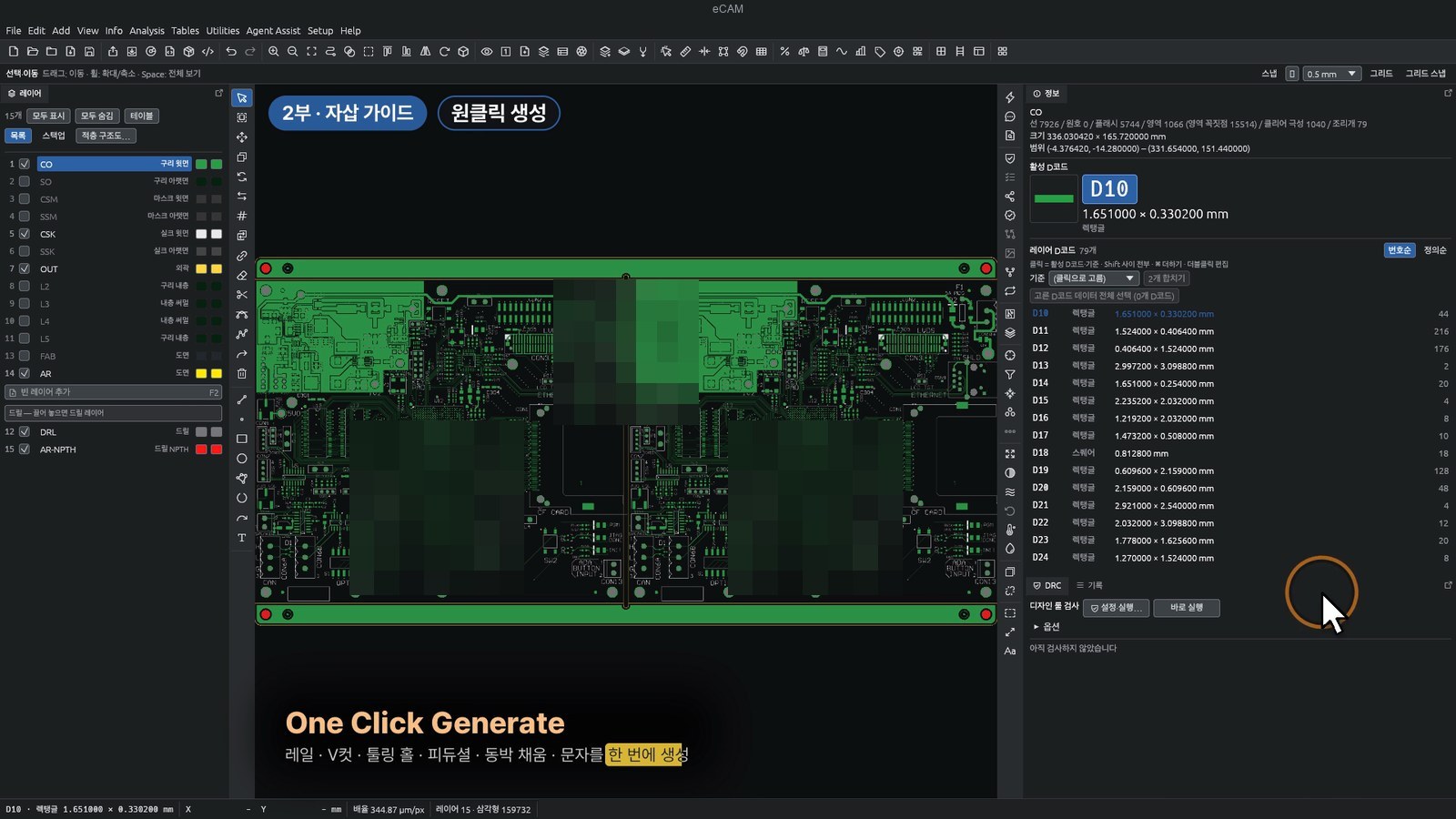
One-click auto-insertion guide rails
Set rails, V-cuts, holes and text with a live preview, then generate them in one step. Router paths and rail copper clearing are generated automatically.
Demo videos by task
1080p · with audio. Press play to start.
Minimum · recommended (target) specs
Supported OS Windows · macOS (Apple Silicon native)
| Item | Minimum | Recommended (target) |
|---|---|---|
| Operating system | macOS 11 (Big Sur) or later Windows 64-bit | macOS Apple Silicon Mac (native) Windows 64-bit, latest version |
| Memory | macOS 24 GB Windows 32 GB | macOS 48 GB Windows 64 GB |
| CPU | — | macOS Apple Silicon M series Windows current-generation 8-core class |
| GPU | — | macOS Apple Silicon integrated GPU Windows DirectX 12 or Vulkan support |
| Storage | — | SSD with free space for job data |
| Display | 1440 × 900 (default window size) | Larger display |
| Network | Not required (works offline) | Internet connection and microphone for BridgeTalk |
Fab drawing text recognition in Fab Note Analyzer is macOS only (Windows in preparation). It runs locally using the built-in macOS Vision framework and requires Xcode Command Line Tools on first run.
BridgeTalk is a subscription service that requires an internet connection (contact us for pricing and what is included). Recommended (target) specs and screens may change as the product is improved.
Demos, quotes and distributor inquiries
We will run a live demo on your own data. Contact us for license options and quotes.
We are looking for distributors to partner with us on eCAM sales and technical support.
- Website
- ecam.toffnlab.com
- toffnlab@gmail.com